Step 1
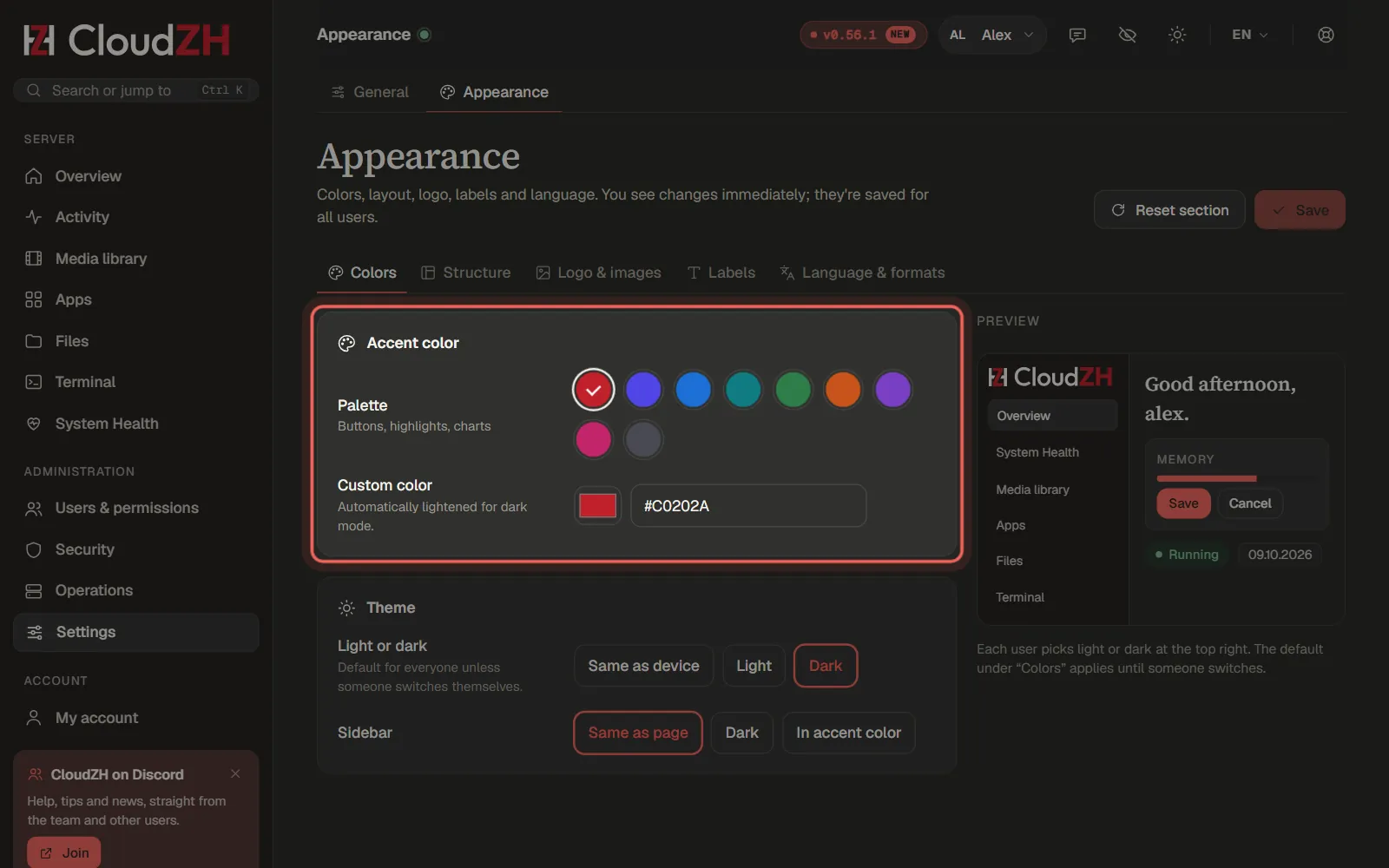
Choose colours
Under Appearance → Colors you pick an Accent color or your own. Logo, buttons and the icon in the browser tab follow it right away. Save applies it for everyone.
Step 2
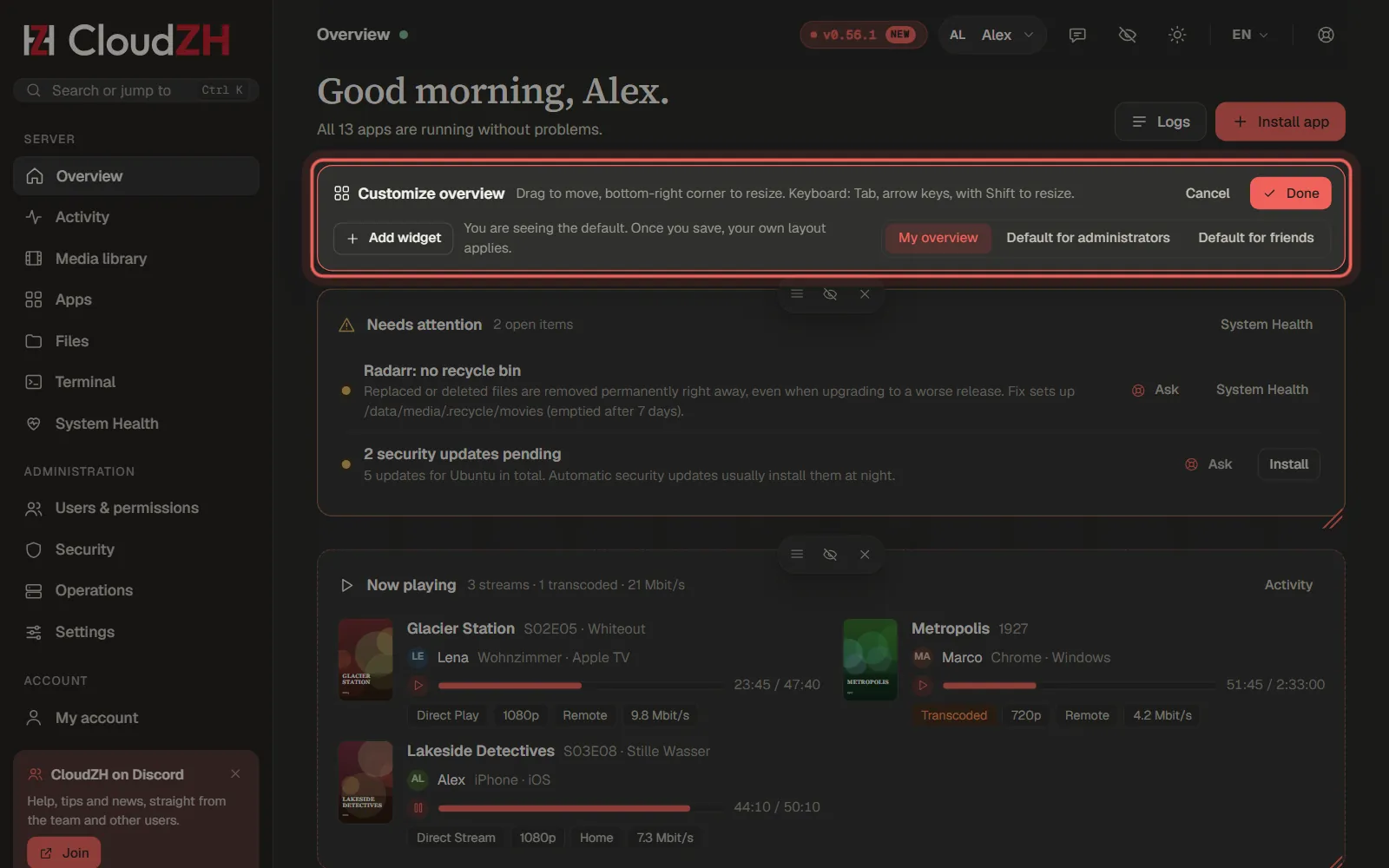
Arrange the overview
On the overview, Customize lets you drag widgets, snap them into the grid and resize them. Every user keeps their own layout.
Step 3
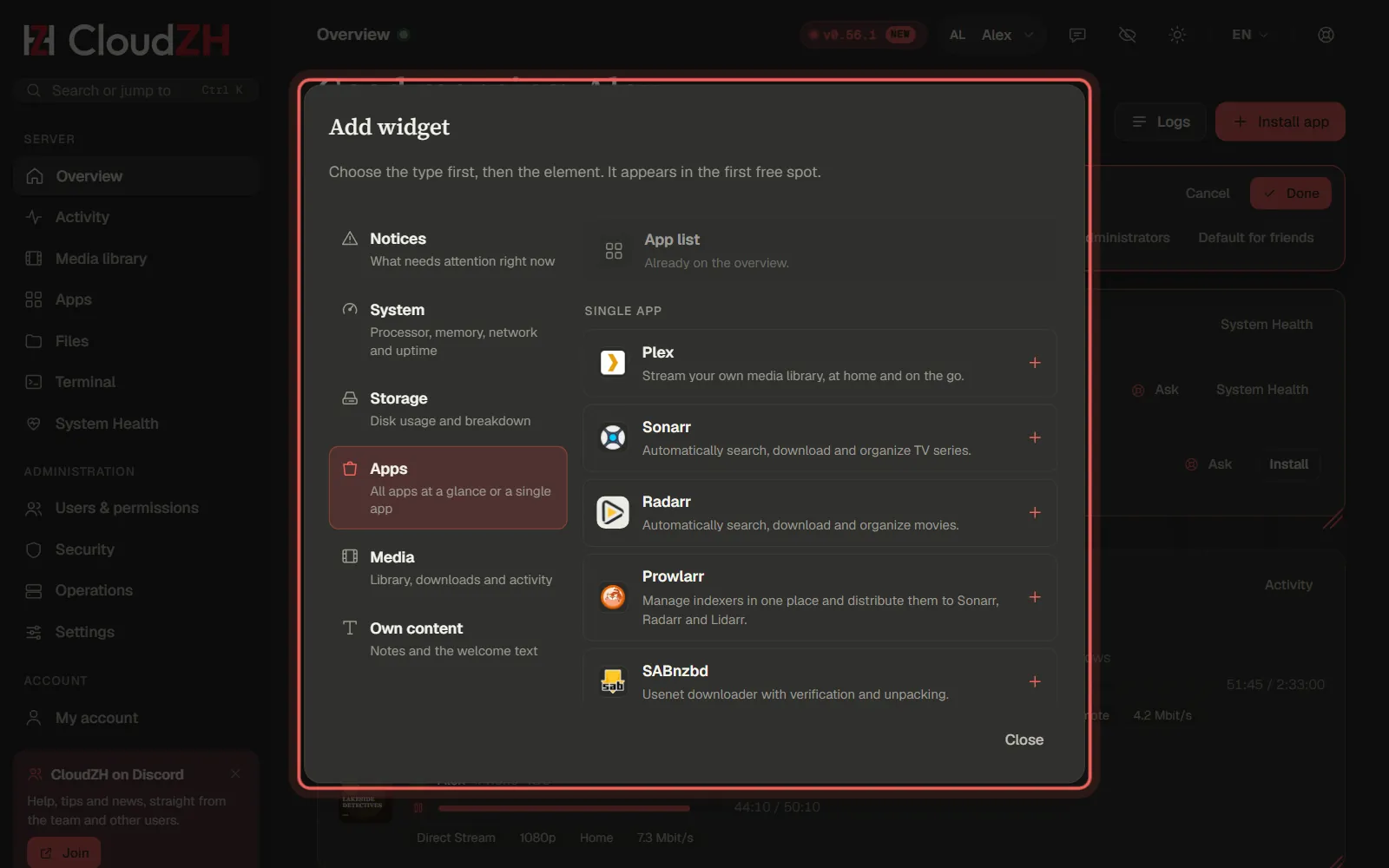
Add widgets
Add widget first asks for the kind, then for the item, for example a single app with its status and quick actions.
Pictures from CloudZH 0.56.1.