Guides · 4 steps
Install your first apps
From the App Store to a running, connected app in a few clicks.
Step 1
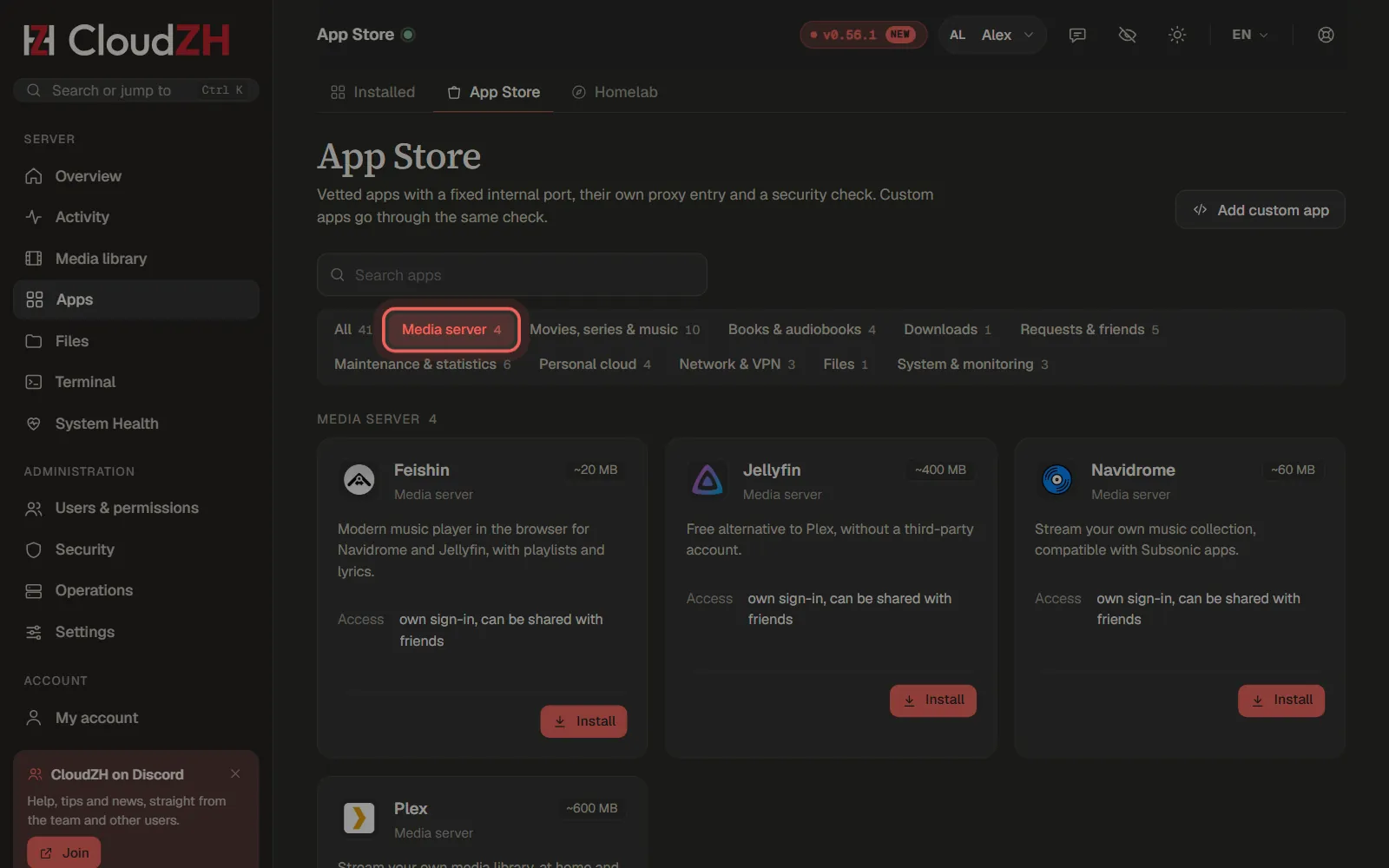
Open the App Store
Under Apps → App Store you find every app sorted by category. Pick a category such as Media server to narrow the list.
Step 2
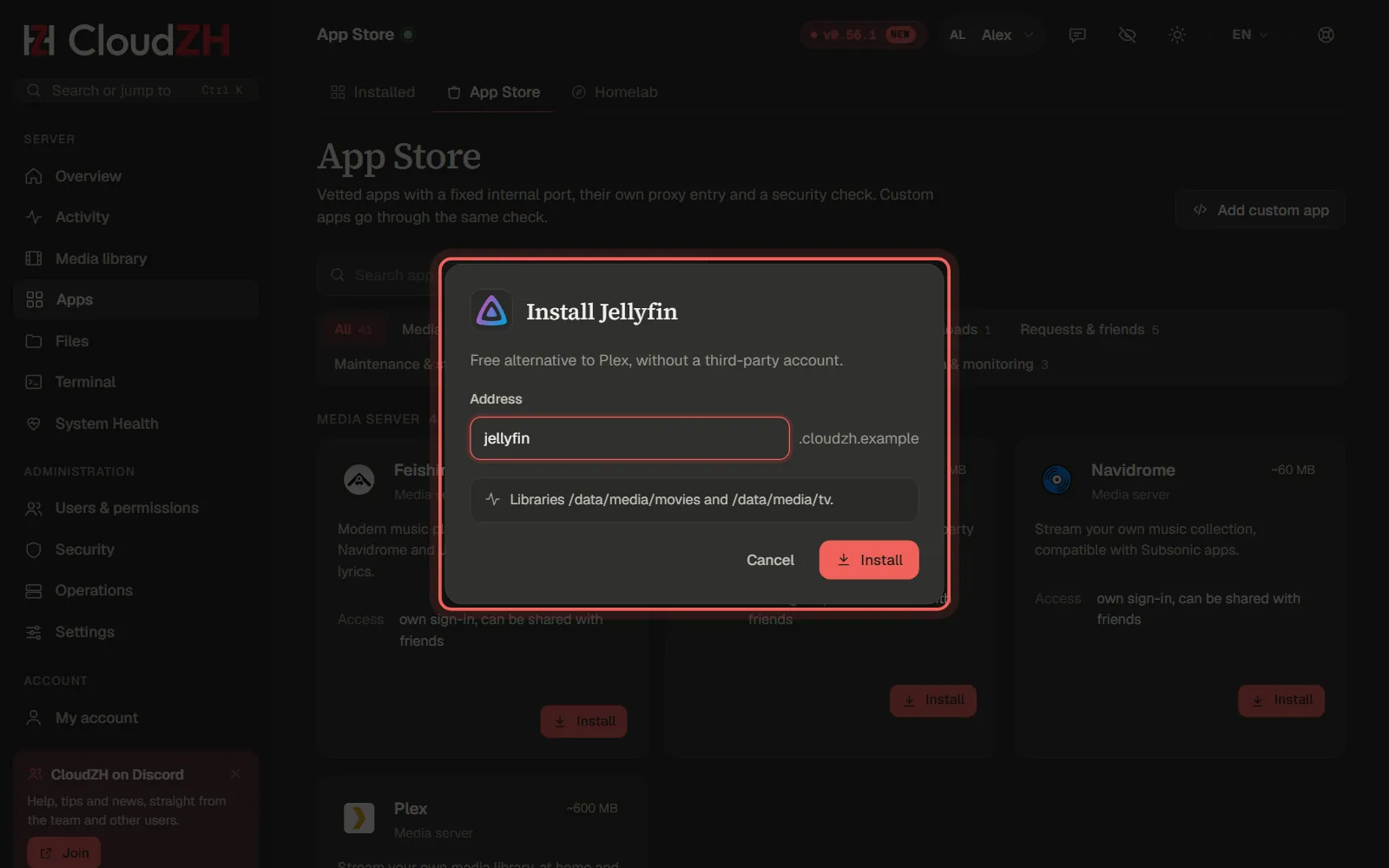
Install an app
Click Install on the app's card. CloudZH suggests an Address for it; keep it or change it, then confirm.
Step 3
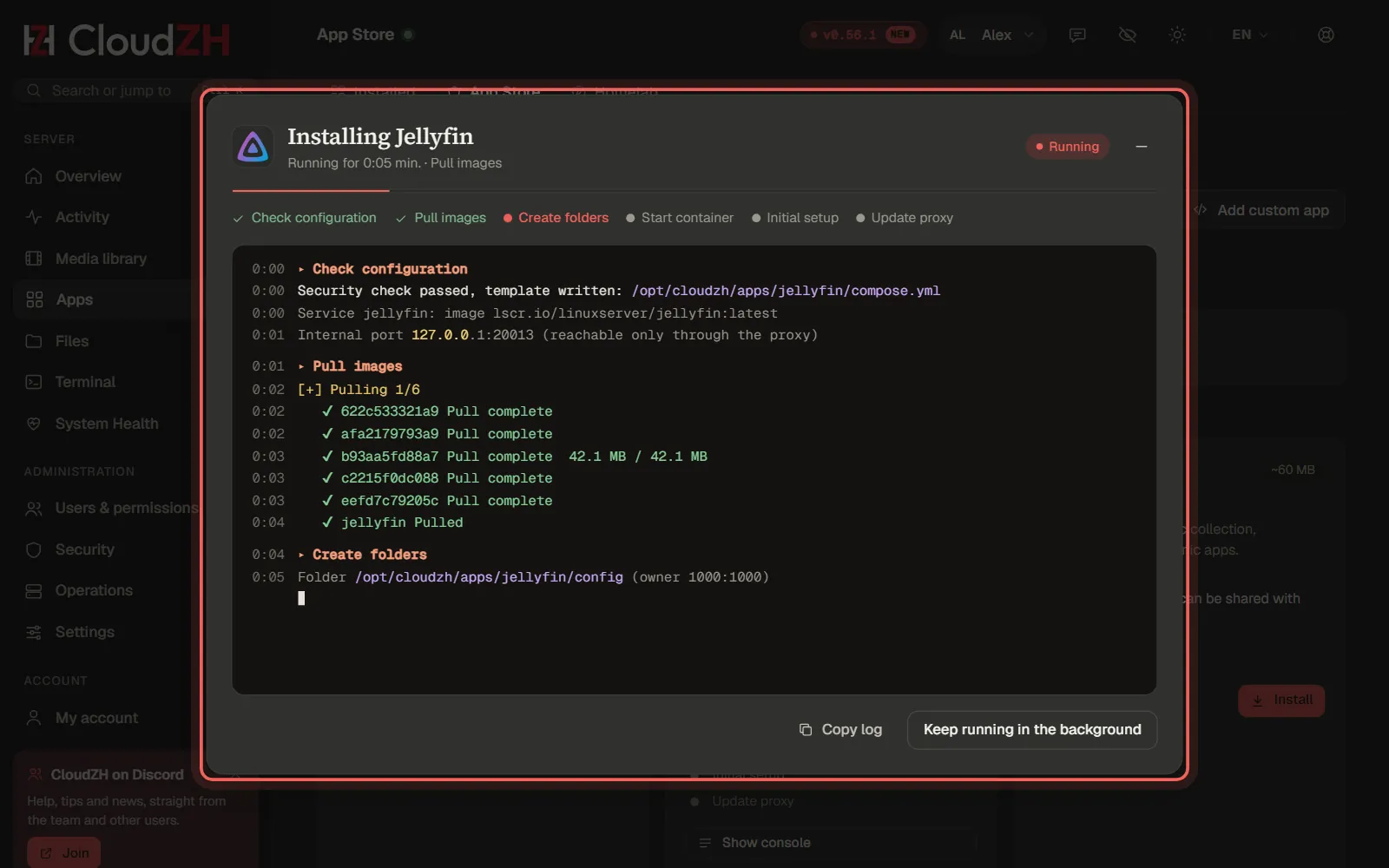
Watch the installation
A console shows every step live: check, download, folders, start and setup. With Keep running in the background you can keep working while it finishes.
Step 4
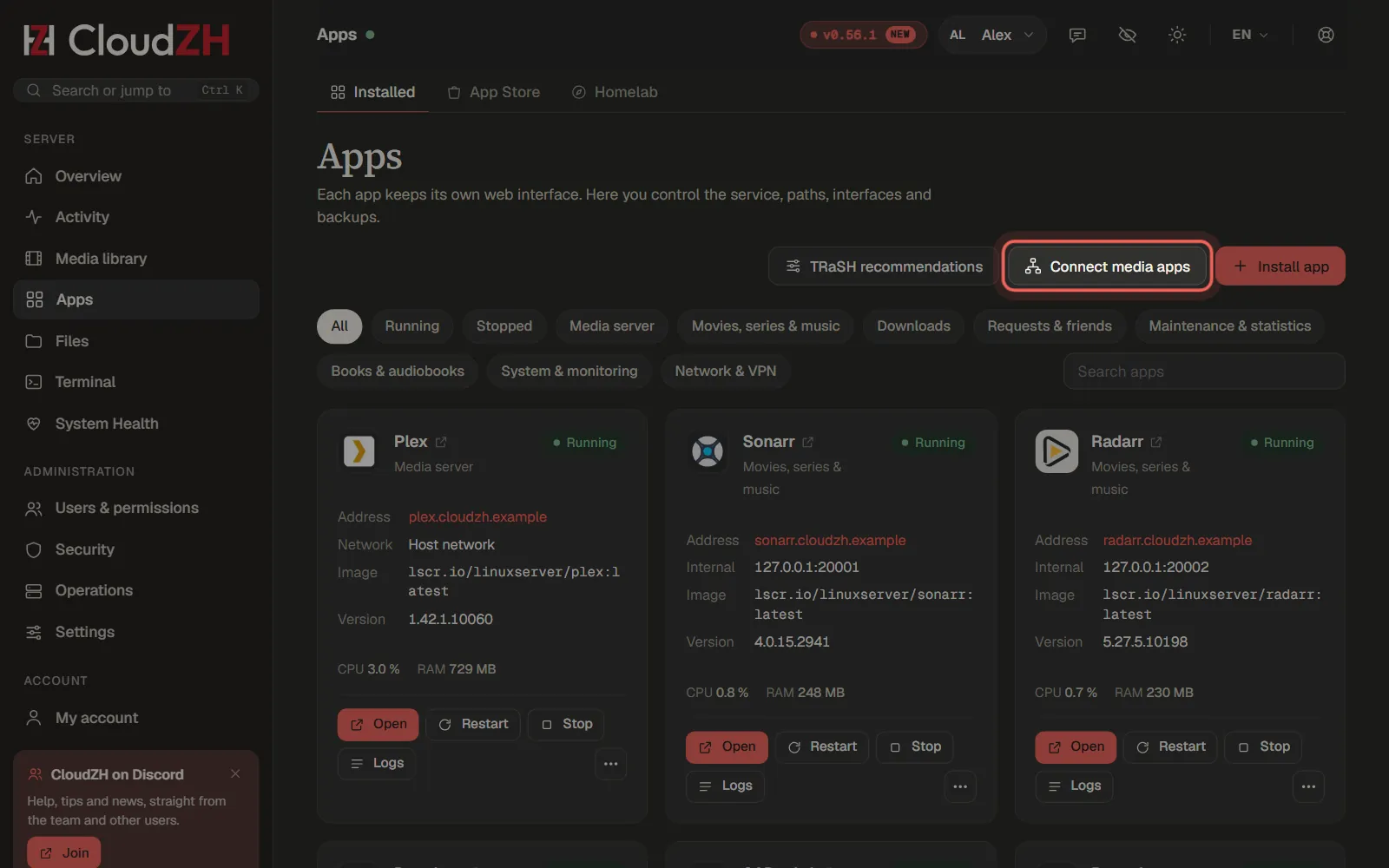
Connect the apps
After every installation CloudZH adds the connections that are missing, for example between Sonarr, Radarr, Prowlarr and the download client. Connect media apps runs it again at any time.
Pictures from CloudZH 0.56.1.